What Are Impressions on LinkedIn? The Metric, Decoded
An impression on LinkedIn is counted every time your content appears on someone’s screen, even if they scroll past without engaging, as analytics educator Brendon Bosworth explains. The count is non-unique: the same person seeing your post three times is three impressions, and your own views count too. Here is what the number really measures, how it differs from reach, and the side effect nobody tracks.
Key takeaways
- An impression = your content appearing on screen, engaged with or not, per Bosworth.
- Counts are non-unique and include your own views, per LinkedIn’s help center.
- Reach counts unique viewers: three impressions can be one person, per Bosworth.
- Skeptics on r/linkedin call impressions inflated: “LinkedIn impressions are not real.”
- More impressions also means more strangers who can cold-DM you.
What are impressions on LinkedIn?
An impression is one appearance of your post, article, or comment on someone’s screen. LinkedIn counts an impression every time your post appears, even if someone scrolls past without engaging, as Bosworth’s explainer puts it. Nothing needs to be clicked, read, or liked for the counter to move.
Two properties of the count surprise people, both confirmed by LinkedIn’s help center for comment analytics:
- It is non-unique. If the same member views your content twice, it counts as two impressions.
- Your own views count. Checking your own post from your feed adds to the number.
So a post showing 1,000 impressions did not reach 1,000 people. It surfaced on screens 1,000 times, some of them repeat viewers, at least a few of them you. That distinction is the single most common misreading of LinkedIn analytics.
What is the difference between impressions and reach?
Impressions count appearances; reach counts people. Bosworth’s example makes it concrete: if the same person sees your post three times, that is three impressions, but just one member reached. The Knowledge Academy’s glossary defines reach the same way, as the total number of different LinkedIn users who have seen the post.
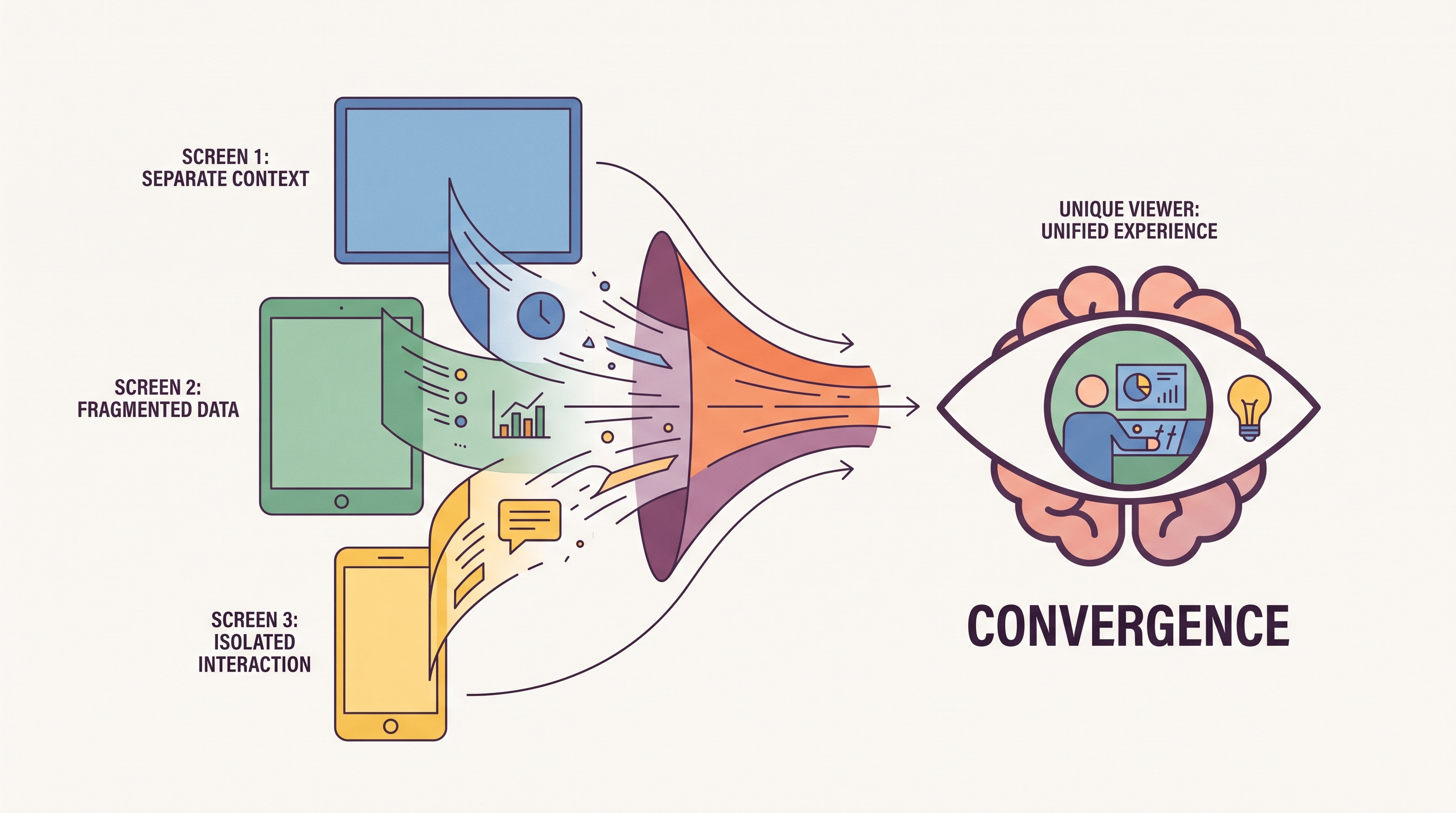
The two numbers answer different questions:
- Impressions: how often the algorithm is putting you on screens. A frequency signal.
- Reach: how many distinct humans saw you. An audience-size signal.
A high impressions-to-reach ratio means the same people keep seeing you, which can be loyalty or feed repetition. Growing reach with flat impressions means new audience. Reading them together tells you whether your content is expanding your circle or circling your existing one, as Bosworth notes when he asks whether your audience is growing or you are just reaching the same group.
What is a good number of impressions on LinkedIn?
There is no universal benchmark, and the honest sources admit it. Bosworth describes his own range drifting from thousands of impressions down to hovering between 50 and 300 per post as the algorithm changed. The same post, the same author, a different year: a tenfold swing.
That volatility is why the r/linkedin thread titled “LinkedIn impressions are not real” resonates. Users there report counts climbing from their own repeated views, with one noting that impressions count when you view your own posts and the number rises as you scroll your own profile. The metric is real but soft, inflated at the edges by definition.
A more useful yardstick than any absolute number: your own trailing average. Beat your last 10 posts’ median and the content is working for your audience; chase a stranger’s screenshot and you are comparing algorithms, not skill.
Context also changes the meaning of the number. A niche B2B founder with 400 impressions reaching 30 buyers can outperform a meme account with 40,000, because impressions carry no information about who was on the other side of the screen. Pair the count with profile views and DMs from the right people before calling a post a win.
How do you increase your LinkedIn impressions?
Feed the algorithm what it rewards: engagement early and often. The tactical levers, drawn from Valley’s and the Knowledge Academy’s guides, are consistent:
- Post consistently, because dormant accounts fall out of feed distribution.
- Open strong: the first lines decide whether anyone stops scrolling.
- Invite conversation, since comments push content to the commenters’ networks.
- Time your posts for when your audience is actually online.
- Use formats the feed favors, like native documents and idea-dense text posts.
Where people waste effort is chasing hacks instead of the flywheel. Engagement-bait acronyms and comment pods can nudge a post’s counter, but the lift dies with the post, while a consistent posting habit compounds week over week. Valley’s tracking guide frames impressions as a trend metric for exactly this reason: one spike proves nothing, a rising 90-day line proves the system works.
None of this is mysterious; it is the same engagement flywheel every creator guide describes. The part those guides skip is what winning the flywheel does to the rest of your LinkedIn life, which is the next section.
What do more impressions do to your inbox?
They fill it. Impressions measure outbound visibility, and visibility is a two-way door: every additional screen your profile crosses is another stranger who can open your DMs. Growing creators discover this fast, because LinkedIn has no spam filter, so the pitch wave that follows a viral post lands unfiltered in the primary inbox.
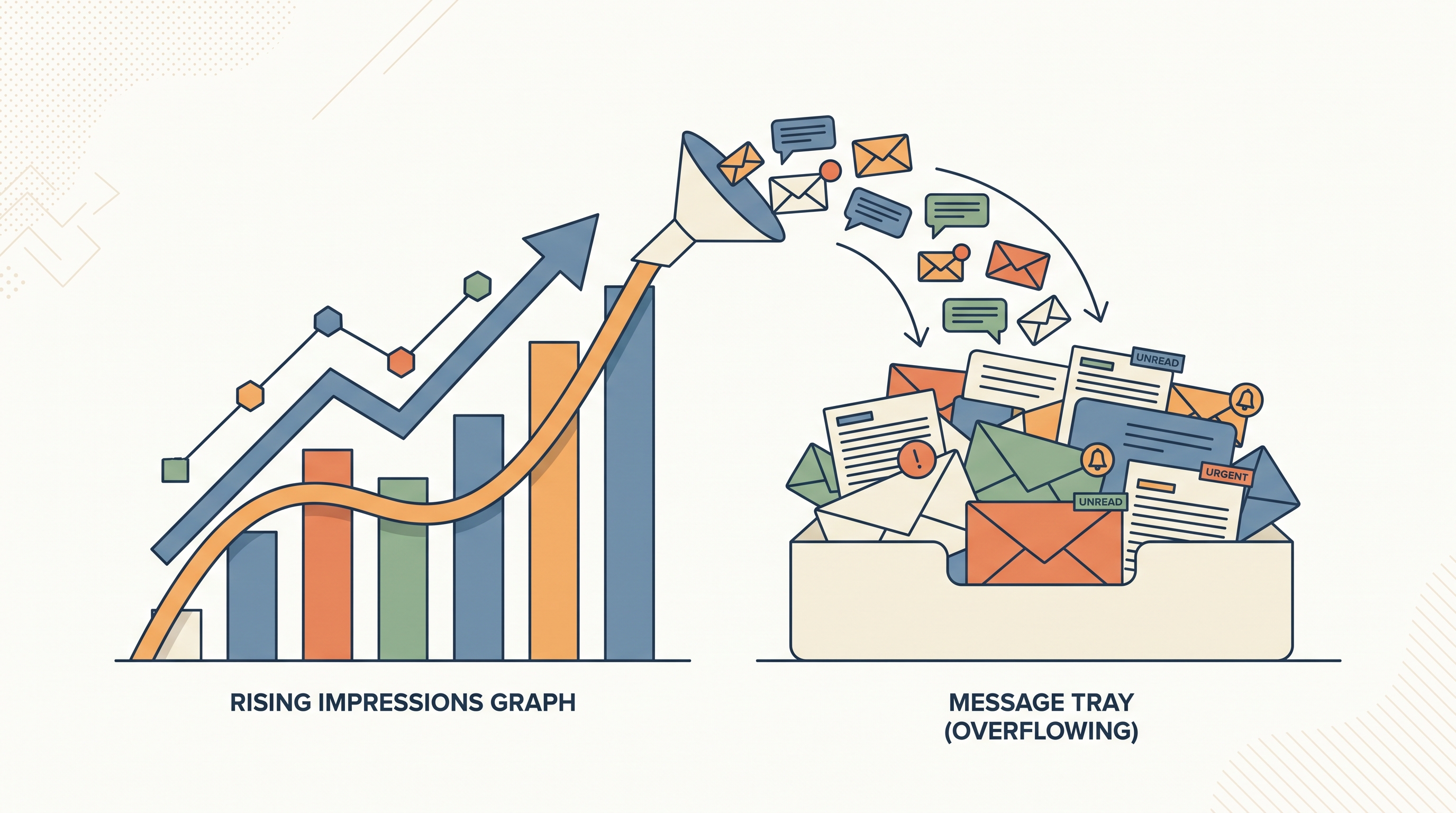
No analytics dashboard counts this side. The tools that track impressions stop at the post; the cold messages the post attracts are your problem. Our guide to stopping LinkedIn spam covers why LinkedIn’s native settings cannot separate the pitch flood from the real opportunities that same visibility brings.
That is the receiving side Linbox handles. It filters cold pitches and recruiter blasts out of your primary view automatically, moves them aside without deleting anything, and restores any sender the moment you reply. Chase impressions freely; the inbox they generate is manageable from the other end.
Frequently asked questions
What does impressions mean on LinkedIn?
The number of times your content appeared on screens. LinkedIn counts an impression every time your post appears, even without engagement, per Bosworth’s explainer, and the count is non-unique per LinkedIn’s help center.
Is it good to have a lot of impressions on LinkedIn?
Generally yes, as a distribution signal, but the number is soft: repeat viewers and your own views inflate it, per LinkedIn’s help center. Compare against your own trailing average rather than external benchmarks, since ranges shift with the algorithm, as Bosworth’s tenfold swing shows.
What is the difference between impressions and reach on LinkedIn?
Impressions count appearances, reach counts unique people. Bosworth’s example: one person seeing a post three times is three impressions but one member reached, and the Knowledge Academy defines reach as the number of different users who saw the post.
Do your own views count as impressions on LinkedIn?
Yes. LinkedIn’s help center states your own views are counted toward the impression count, and r/linkedin users report watching their numbers climb while scrolling their own posts.
Frequently asked questions
- What does impressions mean on LinkedIn?
- The number of times your content appeared on screens. LinkedIn counts an impression every time your post appears, even without engagement, per Bosworth's explainer, and the count is non-unique per LinkedIn's help center.
- Is it good to have a lot of impressions on LinkedIn?
- Generally yes, as a distribution signal, but the number is soft: repeat viewers and your own views inflate it, per LinkedIn's help center. Compare against your own trailing average rather than external benchmarks, since ranges shift with the algorithm, as Bosworth's tenfold swing shows.
- What is the difference between impressions and reach on LinkedIn?
- Impressions count appearances, reach counts unique people. Bosworth's example: one person seeing a post three times is three impressions but one member reached, and the Knowledge Academy defines reach as the number of different users who saw the post.
- Do your own views count as impressions on LinkedIn?
- Yes. LinkedIn's help center states your own views are counted toward the impression count, and r/linkedin users report watching their numbers climb while scrolling their own posts.